When I make pixel art for my personal projects, I tend to use Aseprite. It’s a very good and well-maintained pixel art software with a lot of useful functionality for animations.
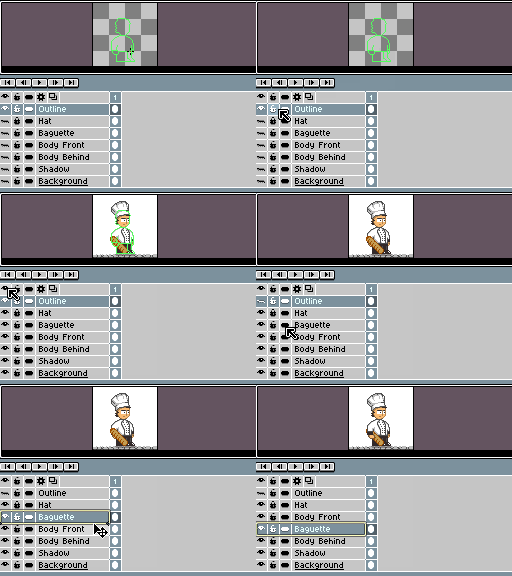
When I’m making sprites, especially quick sprites for a game jam entry or such where I need to work quickly, very often I’ll make them with an outline. There are two main ways I might approach quickly drawing a sprite with an outline.
1: Draw the outline first, then fill in with a lighter colour
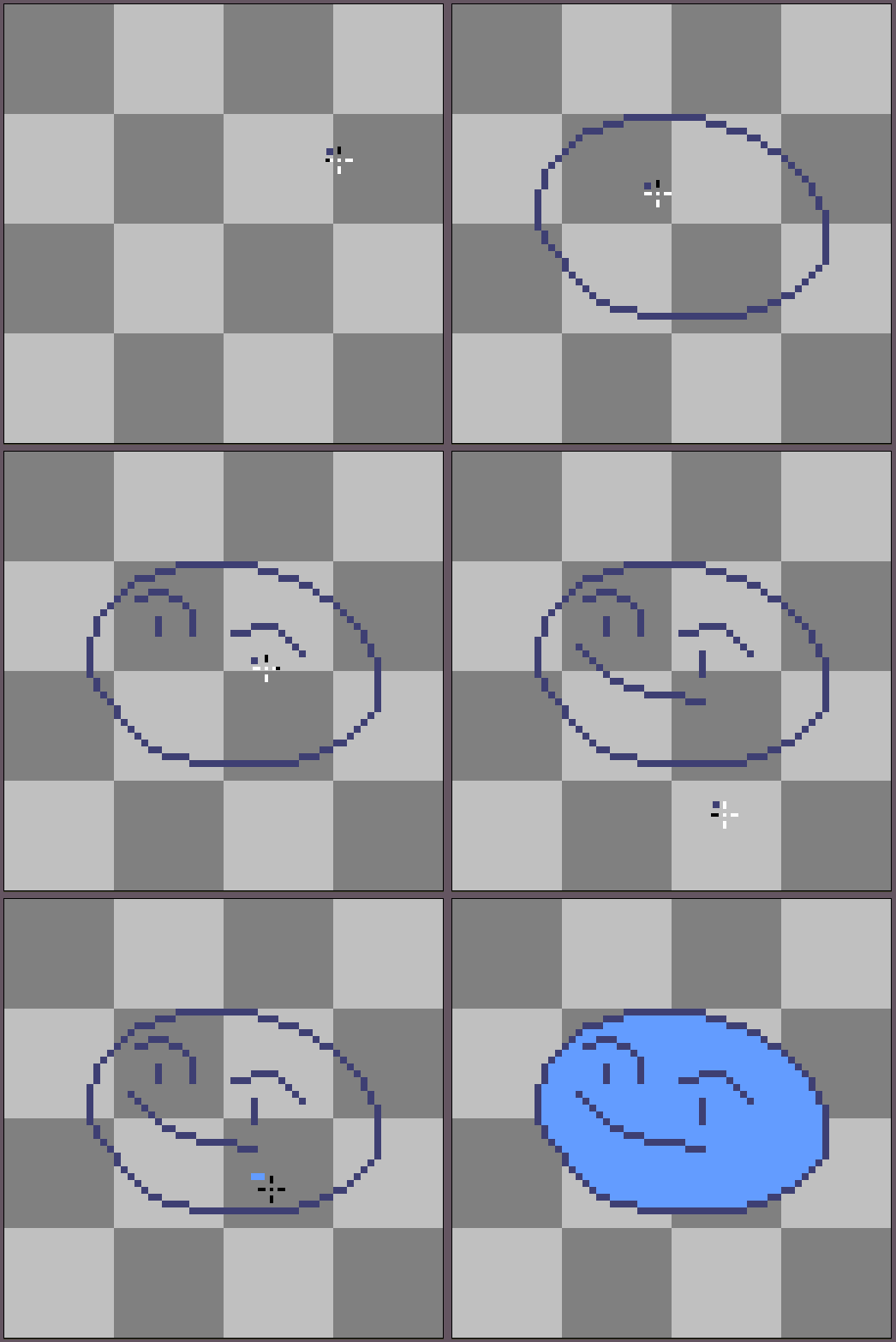
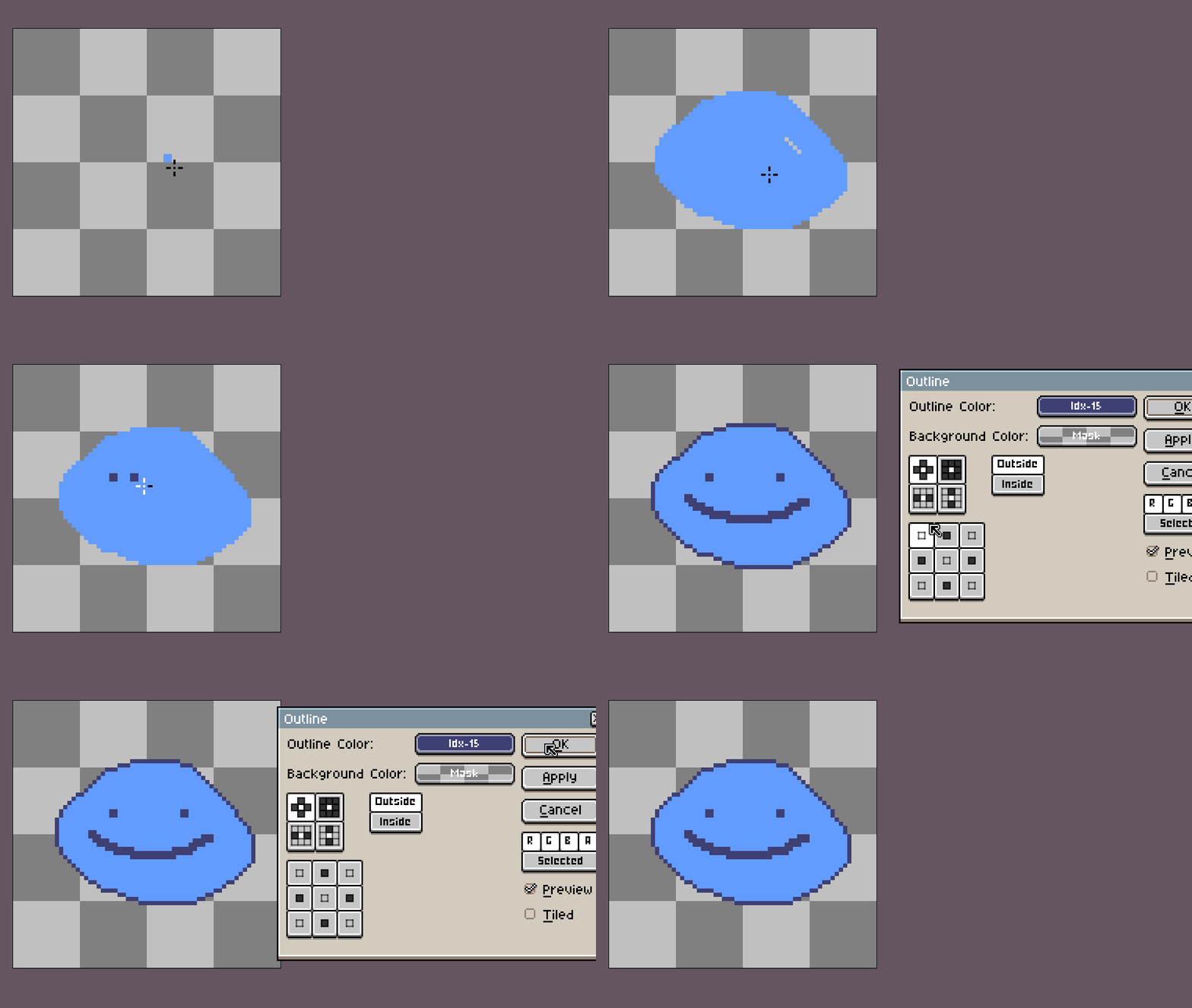
2: Paint the inside and then use the outline tool to add the outline afterwards
Neither approach quite works for what I want. In the first example, editing within the outline becomes cumbersome - in the second, editing the outline itself becomes a pain.
I was really hoping for an automatic outliner tool that could automatically draw an outline around my sprite in real-time so that I could quickly see what I was doing. I hoped this would be built into Aseprite, as it has a lot of helpful tools like this - but alas, no dice.
I found a post on the Aseprite forums that described what I was looking for very well.
The closest to a solution that I could find was this Aseprite forum post by user psychicteeth, where they created a script that does essentially what I was looking for, with some caveats.
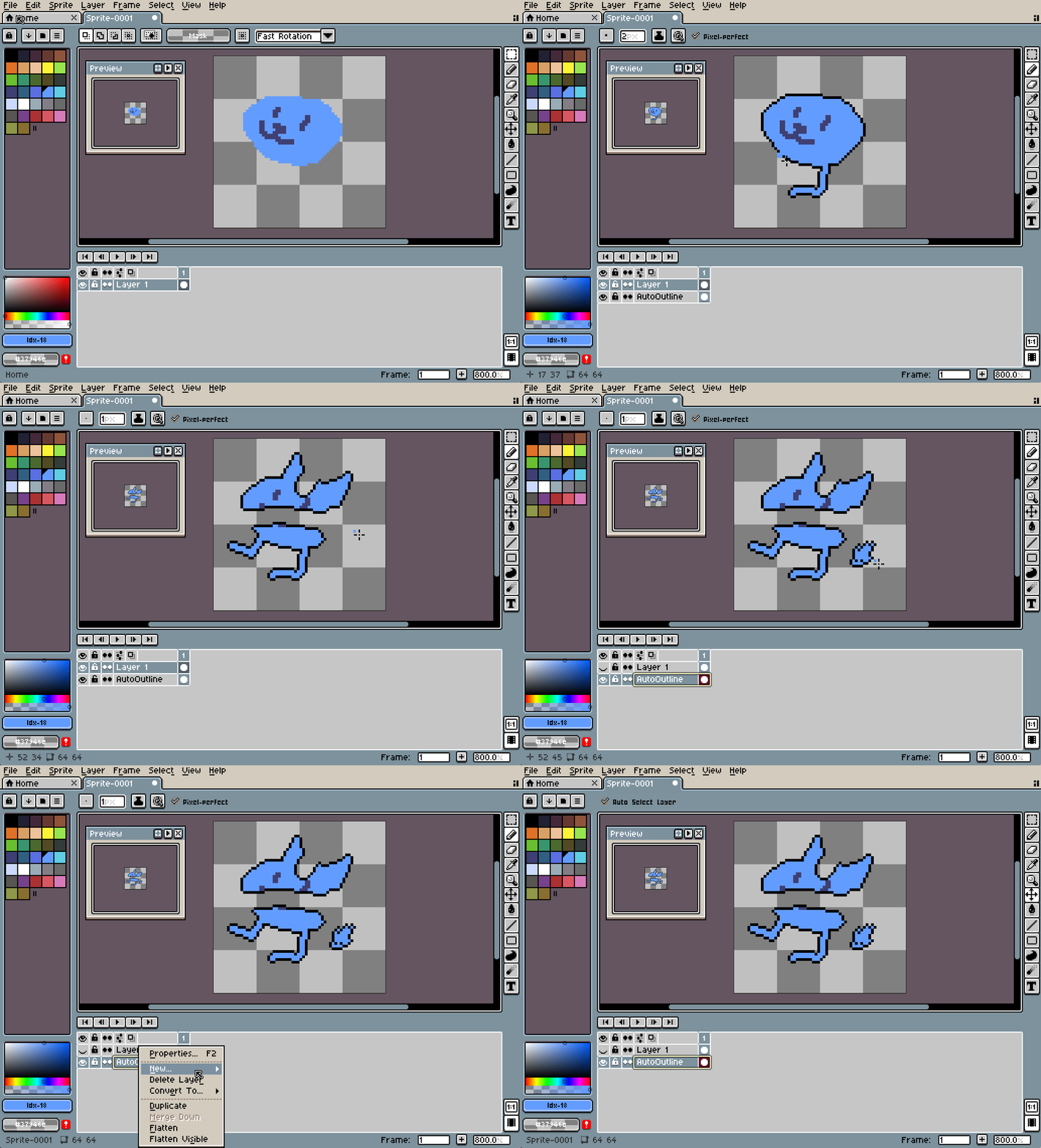
However, as it stood, it had some problems that made it difficult to use:
It doesn’t support groups and runs on all layers, even invisible ones
It can’t be paused/resumed, and can only be stopped by quitting Aseprite
It copes the entire contents of each layer, so it is not a stand-alone outline
Because of this, erasing is awkwardly delayed
Undoing causes console print messages
Cannot change settings (outline colour, outline settings etc) without editing the script
Runs on all layers at once, including invisible layers
Editing layers can crash it!
I used it as a base to build from, and reworked it:
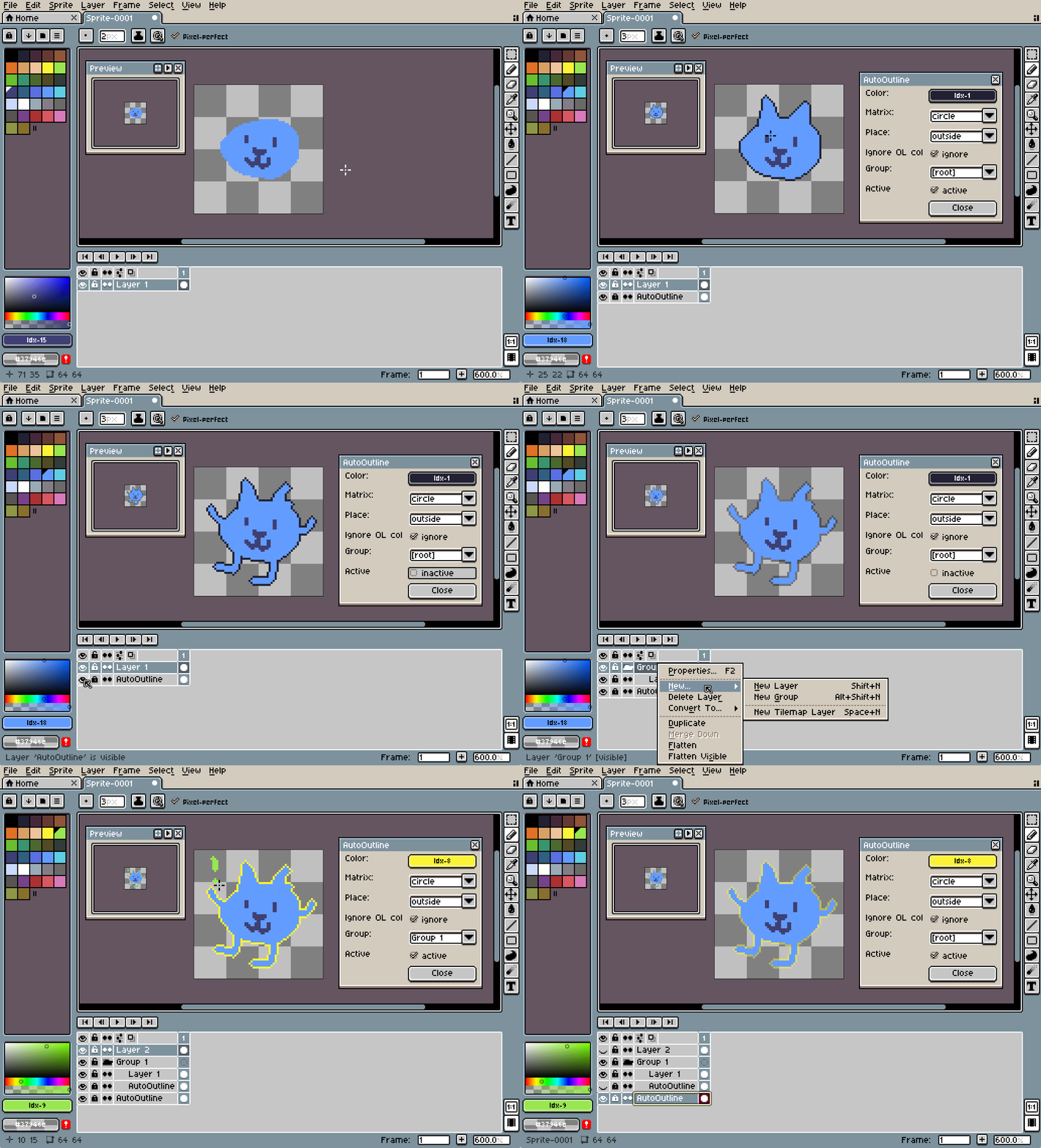
It now has a Dialogue box to select the colour and outline settings
Can activate/deactivate it
Can set it to run on a Group, only caring about visible layers within that group
The Outline layer is only the outline, not the contents
Bug fixes!
One feature mentioned in another forum post that I thought would be good to support is to allow the user to manually adjust sections of outline where it needs to have a human touch.
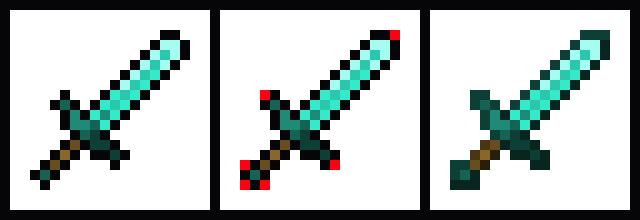
Left: Aseprite’s Outline script. Centre: missing intended pixels. Right: ideal result.
I added a setting ‘Ignore OL col’ so that we can manually add those outline pixels:
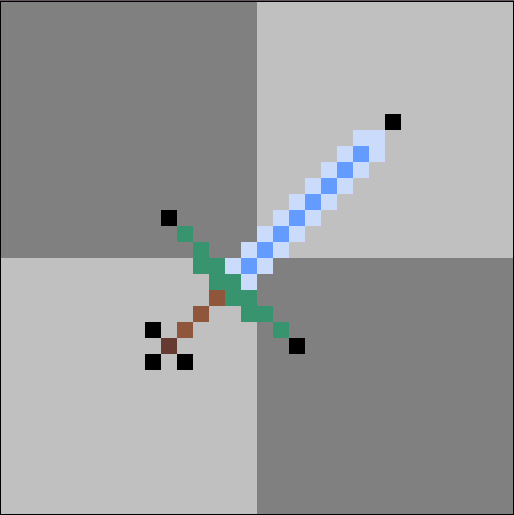
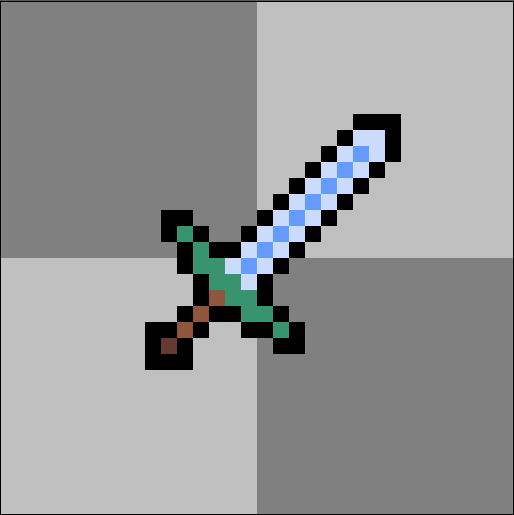
Here’s what it would look like without the setting enabled:
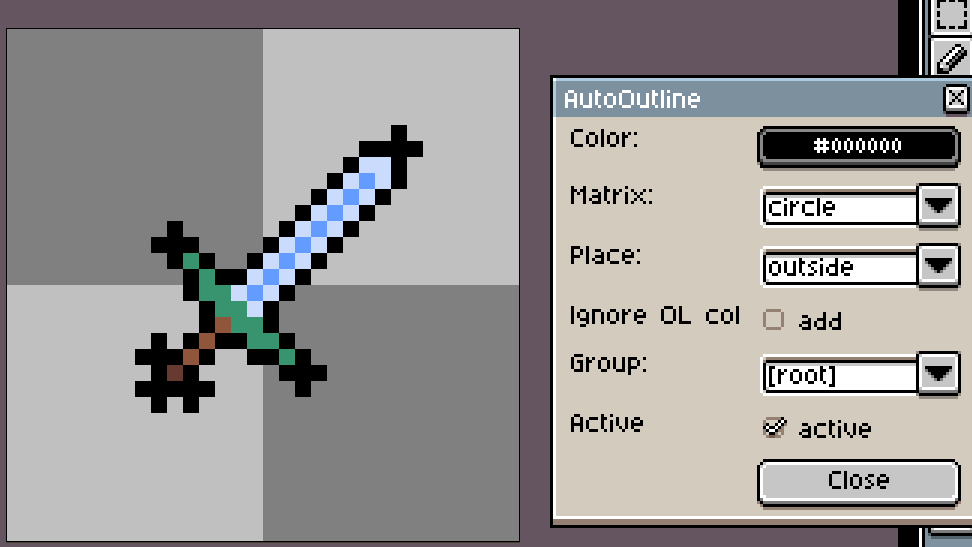
Finally, here’s the script, and a link to the script’s Github page in case of updates.
It should be copied into Aseprite’s Scripts folder (From Aseprite, open 'File -> Scripts -> Open Scripts Folder') and then it can be run by using File -> Scripts -> AutoOutline. I recommend assigning it the keyboard shortcut Alt+O!
I hope this is helpful for anyone other than myself. Let me know if you used it or have any questions!